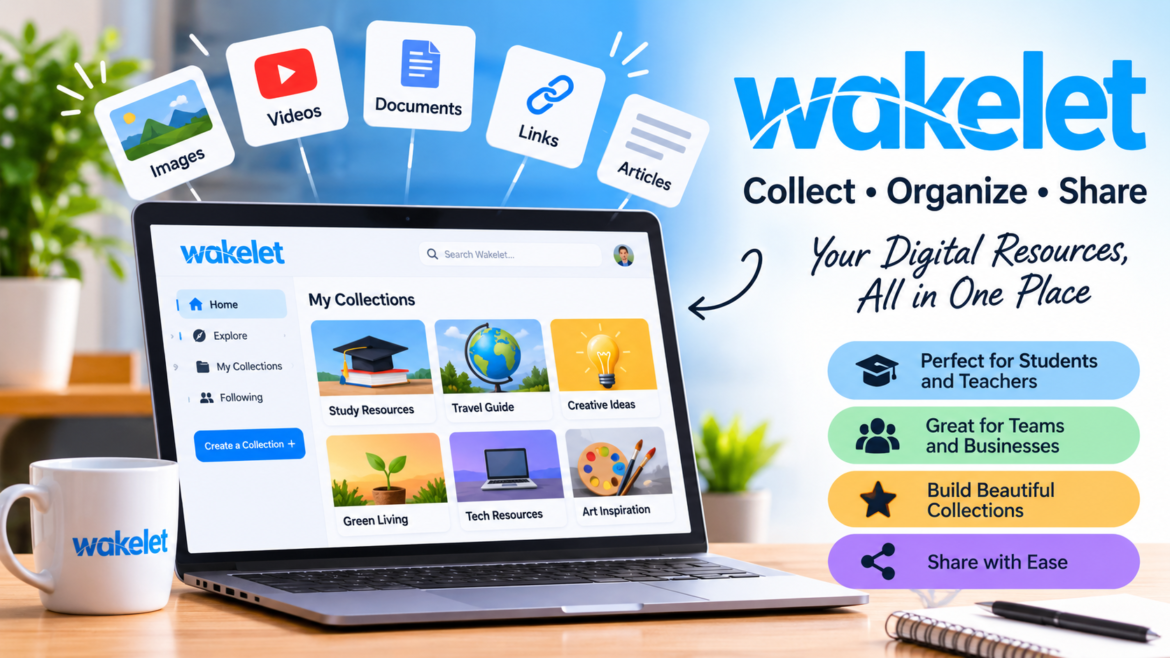
What Is Wakelet?
Wakelet is a digital content curation platform that allows people to collect, organize, save, and share information from different places on the internet. It provides a convenient way to bring articles, videos, images, websites, documents, and other useful resources together in one organized collection. Instead of saving interesting links across multiple browser tabs, bookmarks, and applications, users can use Wakelet to create a central space where their favorite content is easy to access.
The platform is particularly useful for students, teachers, researchers, content creators, professionals, and anyone who regularly discovers valuable information online. Its main purpose is to make digital information easier to manage, organize, and share with other people. Wakelet also supports collaboration, allowing users to create collections around particular subjects and invite others to contribute.
This makes it useful not only for personal organization but also for classroom activities, group projects, professional research, and knowledge sharing. As people continue to consume information through different websites and digital platforms, tools like Wakelet offer a practical solution for keeping everything organized in one place.
The Background and Purpose of Wakelet
Wakelet was developed to address a common problem experienced by internet users: finding useful information is relatively easy, but organizing and remembering it can be difficult. People regularly discover interesting articles, educational videos, photographs, social media posts, and online resources, but these materials often become scattered across different websites and applications. Traditional browser bookmarks can help, but they do not always provide an attractive or flexible way to organize information into meaningful collections.
Wakelet offers another approach by allowing users to arrange different types of digital content into collections that can be viewed and shared. Its broader purpose is to help people turn individual pieces of online information into organized collections with a clear topic or objective. For example, a teacher can gather educational videos and reading materials for a lesson, while a student can organize research sources for an assignment. A professional might use the platform to collect industry news, useful articles, and reference materials. This simple concept makes Wakelet relevant to different audiences and explains why it has attracted interest in education, collaboration, and digital productivity.
How Does Wakelet Work?
Wakelet works by allowing users to create collections and add different types of digital content to them. The process is designed to be straightforward, even for people who do not have advanced technical knowledge. After visiting the Wakelet website, users can create an account and begin organizing information according to their interests, projects, or professional needs. Once logged in, they can create a new collection, give it a suitable title, add a description, and begin including relevant materials.
These materials can consist of website links, articles, photographs, videos, PDFs, notes, and other supported resources. Users can arrange the content in a way that makes sense for their particular purpose, creating a collection that is easy to understand and navigate. For instance, someone researching digital marketing could create a collection called Digital Marketing Resources and add tutorials, industry reports, useful websites, and educational videos.
Another person planning a vacation could collect hotel information, travel guides, destination photographs, and restaurant recommendations in one place. When the collection is ready, it can remain private or be shared with selected people or a wider audience. This flexible process makes Wakelet useful for both simple personal activities and more organized professional projects.
Important Features of Wakelet
Wakelet offers several features that make it different from traditional bookmarking services. One of its most recognizable features is the ability to organize different forms of content into visual collections. Rather than displaying a long list of saved website addresses, the platform helps users create organized pages that can include different types of media. Another important feature is content customization.
Users can give collections meaningful titles, descriptions, and visual appearances, helping visitors understand what the material is about before exploring it. Sharing is another major part of the experience because a collection can be distributed through a single link. This is particularly convenient when someone needs to share multiple resources without sending individual messages or attachments. Wakelet also supports collaboration, allowing invited contributors to help build collections by adding useful information and ideas.
The platform includes options for personal organization, educational projects, professional resources, and team activities. Depending on the selected plan, additional capabilities may be available, including more collection capacity, video uploads, image carousels, and AI-related features. Together, these tools make Wakelet more than a basic bookmarking application. It combines collecting, organizing, presenting, and sharing information in a single digital environment.
Wakelet for Students and Education
Education is one of the most important areas where Wakelet can provide practical value. Students regularly work with information from textbooks, websites, online lectures, educational videos, and research papers. Keeping all these materials organized can become challenging, particularly when several subjects and assignments require attention at the same time. Wakelet provides students with a way to create separate collections for different subjects, projects, and learning activities.
A student studying science, for example, can create a collection containing educational articles, diagrams, instructional videos, and useful research links. Another collection can be dedicated to history, mathematics, or language learning. This arrangement makes it easier to revisit information when preparing for examinations or completing assignments. Students can also use Wakelet to organize group projects, collect research materials, and present their work in a visual format.
Instead of sending classmates a large number of separate links, they can share one organized collection containing the necessary resources. Digital portfolios are another useful educational application because learners can collect examples of their work, projects, achievements, and reflections in one place. This can help demonstrate progress over time and make learning more visible. Wakelet is also useful for independent learning because students can save resources they discover outside the classroom and return to them whenever they need additional explanations.
How Teachers Can Use Wakelet in the Classroom
Teachers can use Wakelet to make classroom information more organized and accessible. Preparing lessons often involves collecting presentations, reading materials, videos, photographs, worksheets, and external educational websites. When these resources are distributed across different platforms, students may struggle to locate the correct material. A teacher can create a Wakelet collection for each lesson or topic and place all the relevant resources together.
For example, a lesson about environmental protection might include articles about climate change, videos explaining recycling, photographs of environmental problems, and links to educational activities. Students can access the collection and explore the resources according to the lesson’s objectives. Teachers can also use collaborative collections to encourage learners to contribute research, questions, and useful discoveries. This approach can make classroom activities more interactive because students become active participants rather than simply receiving information.
Another possibility is using Wakelet to create class newsletters containing announcements, learning materials, important dates, and additional reading recommendations. Teachers can also organize collections for professional development by gathering training resources, teaching strategies, and educational research. For schools and larger educational institutions, dedicated plans provide additional administrative and collaboration features. The platform’s education-focused tools are designed to support teachers, students, and institutions that want a more structured approach to digital learning.
Using Wakelet for Research and Information Management
Research often requires collecting information from many different sources before a person can develop a clear understanding of a subject. Researchers may discover useful academic articles, reports, websites, interviews, videos, and reference materials while exploring a topic. Saving these resources in separate browser bookmarks or documents can make the research process unnecessarily complicated. Wakelet offers an alternative by allowing users to group relevant materials into collections according to their research questions. Someone studying artificial intelligence, for example, could create collections for machine learning, automation, business applications, and emerging technology trends.
Each collection could contain articles, reports, videos, and notes that help explain a particular aspect of the subject. This organization can make it easier to return to important information and identify connections between different sources. It can also help research teams share materials without repeatedly sending individual links through email or messaging applications. However, Wakelet should not be confused with a complete academic reference-management system.
Researchers still need to verify the credibility of their sources, record accurate publication details, and follow the citation requirements of their institutions. Its main strength is helping people collect and organize information, rather than independently checking the accuracy of everything they save. Used thoughtfully, it can become a helpful supporting tool throughout the research process.
Wakelet for Businesses and Professional Teams
Businesses and professional teams also have reasons to use Wakelet. Modern workplaces depend on information that comes from different websites, documents, reports, videos, and communication channels. Employees may need to share industry news, training materials, project information, customer research, and useful references with colleagues. When these resources are scattered across emails and messaging applications, finding the correct information later can take valuable time. Wakelet can help teams create collections around particular projects, departments, or business objectives.
A marketing team might organize competitor research, campaign inspiration, social media examples, and advertising resources in one collection. A human resources department could gather employee training materials, workplace guidelines, and onboarding resources. Similarly, a project manager might create a collection containing reference documents, important links, and useful information for team members.
Collaboration makes this approach more useful because several people can contribute to a shared collection. This can encourage employees to exchange knowledge and keep important resources in a central location. Wakelet also offers group and enterprise plans for organizations that require structured workspaces, member management, permissions, and additional administrative capabilities. These options can be particularly relevant for larger teams that want to organize information across different departments.
Wakelet for Content Creators and Digital Professionals
Content creators, bloggers, social media managers, and digital professionals often collect information for future projects. They may discover creative ideas, trending topics, useful images, educational videos, industry updates, and examples of successful online campaigns. Keeping these materials organized can support the creative process and make planning more efficient. Wakelet allows creators to develop collections around specific themes, making it easier to revisit inspiration when preparing new content.
A blogger could create a collection containing research articles, topic ideas, writing references, and links to authoritative websites. A social media manager might organize campaign examples, visual inspiration, and platform-related resources. Freelancers can also use collections to share selected work references with clients or organize information for ongoing assignments. Another useful possibility is building a digital portfolio that brings together projects, published work, videos, and other professional achievements.
Because collections can be presented visually and shared through a link, they can provide a convenient way to introduce a project or demonstrate an area of expertise. However, users should make sure they have permission to share copyrighted materials and should respect the privacy settings of content they collect. Wakelet is most effective when it helps creators organize and present their own selections of information rather than simply copying material from other people.
Benefits of Using Wakelet
One of the biggest benefits of Wakelet is that it brings different types of online information together in one organized location. Users do not have to depend entirely on browser bookmarks, scattered notes, or long email conversations to remember where they found something useful. This can make everyday information management more convenient. Another advantage is flexibility because the platform can be used for personal interests, education, research, professional activities, and creative projects. Users can create collections based on almost any topic and arrange information according to their own preferences.
Sharing is also an important benefit. Instead of sending several separate links to someone, users can provide one collection link that gives the recipient access to the organized material. Collaboration adds another layer of usefulness because people can contribute to shared collections and develop resources together. The visual presentation also makes information easier to browse and understand, especially when collections contain a mixture of articles, videos, images, and notes. Privacy controls provide additional flexibility by allowing users to decide whether their collections should remain private or become available to others.
Is Wakelet Free to Use?
Wakelet offers a free Starter plan, making it possible for new users to explore the platform without immediately purchasing a subscription. This is useful for individuals who want to understand how collections work before deciding whether they need additional features. However, free access comes with certain limits, so users should understand the differences between available plans. The platform also offers paid options for individuals, educational groups, businesses, and larger organizations.
Its Pro plan is designed for people who need a more extensive collection experience, while group and enterprise options provide additional collaboration and administrative features. Pricing and included benefits can change, so it is important to check the official pricing page before making a purchasing decision. Users should also consider their actual requirements instead of automatically selecting the most expensive option.
Someone who only wants to save a few reading links may find the free plan sufficient, while a teacher managing classroom projects or a professional organizing extensive resources may benefit from a paid subscription. Understanding the available limits can prevent unexpected interruptions when a collection grows beyond the capacity of a selected plan.
How to Create Your First Wakelet Collection
Creating a first Wakelet collection is a relatively simple process. The first step is visiting the official Wakelet website and signing up for an account. Once the account is ready, users can explore the dashboard and locate the option for creating a collection. They should choose a title that clearly explains the purpose of the collection. For example, someone interested in learning graphic design could name a collection Graphic Design Learning Resources. Adding a short description can provide more context and help other people understand what the collection contains.
The next step is adding relevant content. Users can include website links, videos, images, documents, and notes, depending on the available options. It is helpful to select materials that directly relate to the collection’s subject rather than adding unrelated information. After adding content, users can arrange the collection and customize its appearance to make it more readable. They should also review the privacy and sharing settings before making the collection available to others. If collaboration is needed, contributors can be invited to participate. Once everything is organized, the collection can be shared using its available sharing options
Wakelet and Traditional Bookmarking: What Is the Difference?
Traditional browser bookmarking and Wakelet have a similar basic purpose: both help users keep track of useful online information. However, their approaches are different. Browser bookmarks generally save website addresses so users can revisit particular pages later. This is convenient for quick access, but a large collection of bookmarks can become difficult to manage without careful organization. Wakelet provides a more visual and flexible method of collecting information. Users can combine different types of content, add descriptions, create themed collections, and share organized pages with other people.
For example, a traditional bookmark folder might contain twenty links about photography, while a Wakelet collection can bring together photography tutorials, example images, videos, articles, and additional notes. This gives the collection more context and makes it easier to present to someone else. However, browser bookmarks remain useful for people who simply want to save individual websites without creating a larger project.
The two tools do not necessarily need to compete with each other. Someone can use browser bookmarks for frequently visited websites and Wakelet for research, presentations, collaborative resources, and organized collections. Choosing between them depends on whether the main requirement is quick website access or a more complete content-curation experience.
Is Wakelet Safe and Private?
Privacy and security are important considerations whenever users store information online. Wakelet provides privacy settings that allow people to control how their collections are shared. According to the platform’s official information, collections are private by default, and users decide when to make them available to others. This can be helpful for people who want to organize personal resources without publishing everything publicly.
Teachers and organizations may also benefit from access and sharing controls when managing educational or professional materials. Wakelet states that its platform is designed with security and accessibility in mind and identifies several education and data-protection compliance standards, including COPPA, FERPA, and GDPR. However, users should still take responsibility for the information they upload and share.
Personal documents, confidential business information, private student details, and sensitive materials should only be shared when appropriate permissions and protections are in place. Users should review collection visibility before distributing links and avoid including information that other people are not authorized to access. It is also sensible to use a strong, unique password and protect account access. Overall, Wakelet offers privacy controls, but responsible account management remains important for every user.
Does Wakelet Work on Different Devices?
Access across different devices is important for people who move between home, school, and work. Wakelet provides a web-based experience, allowing users to access their collections through a compatible internet browser. This means people can organize and review their resources without being restricted to one particular computer. The platform also provides dedicated mobile applications for iOS and Android, giving users another way to access their content.
Mobile access can be especially useful for students who want to review learning materials, professionals who need to check project resources, and individuals who discover interesting information while using their phones. For example, someone reading an online article on a mobile device might want to save it for a research project later. Having access to collections across devices can make this type of activity more convenient.
The experience may vary depending on the device, application version, browser, and available features, so users should check the official platform for the latest compatibility information. Nevertheless, the combination of browser access and mobile applications makes Wakelet a practical option for people who prefer to manage information from more than one device.
Limitations of Wakelet
Although Wakelet provides several useful features, it is important to understand that it is not a perfect solution for every digital organization requirement. One possible limitation is that users need to maintain their collections regularly. Saving too many unrelated resources can make a collection confusing instead of helpful. Another consideration is that some features and storage or collection limits depend on the selected subscription plan.
People who begin with free access may eventually need to upgrade if their requirements increase. Wakelet is also not a replacement for every specialized application. For example, academic researchers may still need dedicated citation software, while businesses may require advanced project-management systems or secure document-management platforms. The platform helps collect and present information, but it does not automatically guarantee that every saved article, website, or video is accurate, current, or trustworthy.
Users must evaluate their sources independently. Internet access is also important for using an online platform, and the availability of certain materials can depend on the websites where the original content is hosted. Understanding these limitations can help users develop realistic expectations. Wakelet works best as a content organization and sharing tool that supports other digital activities rather than attempting to replace every application in a person’s workflow.
Wakelet vs. Other Content Curation Platforms
There are several digital platforms that help people save, organize, and share online information. Some focus on bookmarking, while others specialize in visual boards, document storage, or collaborative workspaces. Wakelet stands out because it combines different content formats within collections that can be presented and shared through a single link. Its visual approach makes it useful for people who want more than a simple list of saved websites. However, the best platform depends on the user’s requirements.
Someone who needs advanced project management may prefer a dedicated project-management application, while a person who wants to store and edit large documents may benefit from cloud storage software. Similarly, users who mainly collect visual inspiration might prefer a specialized digital mood-board service. Wakelet is particularly suitable when the objective is to bring different online resources together, provide context, and make them easy for other people to explore.
The Future of Wakelet
The future of Wakelet is connected to the growing demand for better digital organization and collaboration. People are producing and discovering more information than ever before, making it increasingly important to have tools that help them manage useful resources. Education, professional development, remote teamwork, and online research all depend on the ability to collect and communicate information effectively. Wakelet’s focus on visual collections and collaboration gives it opportunities to remain relevant as these needs continue to develop.
Artificial intelligence is another area that may influence its future experience, particularly through tools designed to support content organization and productivity. The platform’s continued development of education and business features also suggests an interest in serving different types of communities rather than focusing on one specific audience. Its August 2026 announcement about removing collaboration limits for Starter and anonymous users also demonstrates attention to making shared collections easier to develop.
Who Should Use Wakelet?
Wakelet can be useful for almost anyone who regularly discovers information online and wants to keep it organized. Students can use it to collect study materials, prepare assignments, and build digital portfolios. Teachers can organize classroom resources, share lesson materials, and encourage collaborative learning. Researchers can gather relevant articles and references, while content creators can develop collections of creative inspiration and industry information. Businesses can use the platform to share resources, organize project materials, and support communication between team members.
Even individuals who do not work in education or business can find practical uses for it. Someone planning a holiday can save destination guides, travel recommendations, and accommodation information. A person interested in cooking can create collections of recipes, instructional videos, and food-related articles. The flexibility of the platform means that its usefulness depends largely on how people choose to organize their information. Users who prefer simple, well-arranged collections rather than scattered bookmarks may find it especially valuable.
Final Thoughts on Wakelet
Wakelet is a useful digital content curation platform that makes it easier to collect, organize, present, and share information from different online sources. Its visual collections, collaboration options, privacy settings, and support for different content formats make it suitable for students, teachers, researchers, professionals, businesses, and everyday internet users. Although it cannot replace every specialized productivity or research application, it provides a convenient way to bring scattered digital resources into one organized location.
Its free Starter plan also gives beginners an opportunity to explore the platform before considering additional features or paid subscriptions. Whether someone wants to organize educational materials, prepare a professional portfolio, manage research, or collect personal interests, Wakelet offers a flexible environment for turning individual pieces of information into meaningful collections. As digital content continues to grow, platforms that simplify information management can become increasingly valuable. For anyone looking for an organized and shareable way to manage online resources, Wakelet is worth exploring in 2026.
You Many Also Read: Beata Galloway



1 thought on “Wakelet: A Complete Guide to Its Features, Benefits, Uses, and How It Works in 2026”